
Use Case: Extracting Leads from Email to Excel
One of the most common use cases among Mailparser users is extracting lead data from incoming emails.
Imagine you run a marketing agency. New leads arrive via contact forms, Facebook Lead Ads, referrals, or other sources. Each email contains important details like the contact’s name, company, service requested, etc.
Manually adding new leads to an Excel Online spreadsheet quickly becomes a time sink. This results in overlooked leads, entering incorrect data, and delayed follow-ups. This means lost opportunities for your business.
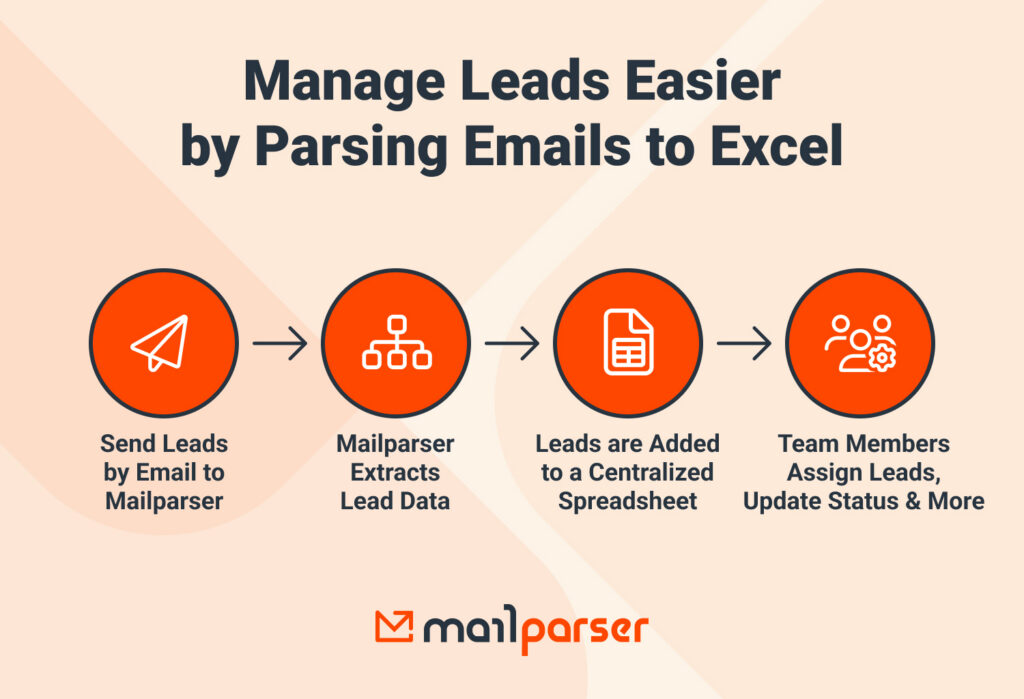
So instead of relying on manual data entry, extracting leads from emails to Excel is far more efficient. Your automated workflow will look like this:
- Leads are sent by email to Mailparser.
- Mailparser automatically extracts lead information.
- Each lead is added as a new row in a centralized Excel Online spreadsheet.
- Your team updates status, assigns owners, and sets follow-up dates directly in Excel.
Parsing emails to Excel will help your team alleviate lead input and follow up with leads much faster, leading to higher conversions.
Why Export Emails to Excel?
In addition to automating data entry, there are other reasons you should convert emails to Excel.
Sometimes, people migrate hosts and need to move their inbox to a new web hosting server. In that case, you should back up your emails so you don’t lose past exchanges and attachments. Excel can help with this by organizing conversations and acting as your database. For example, you can search for old contacts and conversations by name or date here.
Another reason to convert emails is to save your data in a backup file. What happens if you lose access to your email address? It happens every day. If this ever happens to you, you’ll be glad you backed up your email data.
Furthermore, you must back up sensitive data that may require easy access for either legal or other business purposes. Also, if a data disaster occurs and somehow your server is wiped, a backup will allow you to recover your data easily. Otherwise, you might face severe consequences such as the disruption of day-to-day operations, financial losses, and customer dissatisfaction.

Why Use Mailparser to Convert Email to Excel?
Get started in minutes
Mailparser runs from your web browser and doesn’t require coding knowledge, making it usable by anyone. To help users build parsers quickly, we have pre-defined templates for common email parsing cases. Additionally, our Automatic Setup Wizard will try to create parsing rules by analyzing your sample email. In many cases, this eliminates manual setup. Either way, you can always customize parsing rules as much as needed.
Build an email parser tailored to your use case
Mailparser gives you the tools to create a customized email parser that fits into your workflows and streamlines them. By chaining up multiple text or table filters, you can create complex custom extraction rules within minutes. We also have built-in formatting options that allow you to change date, time, telephone formats, and more. So you get clean, ready-to-use data
Once set up, parsing rules will boil down every email to the data fields you are looking for. You can then download your data in Excel format, or export it to Excel Online or any other app you use.
Beyond Excel: move data to your business systems
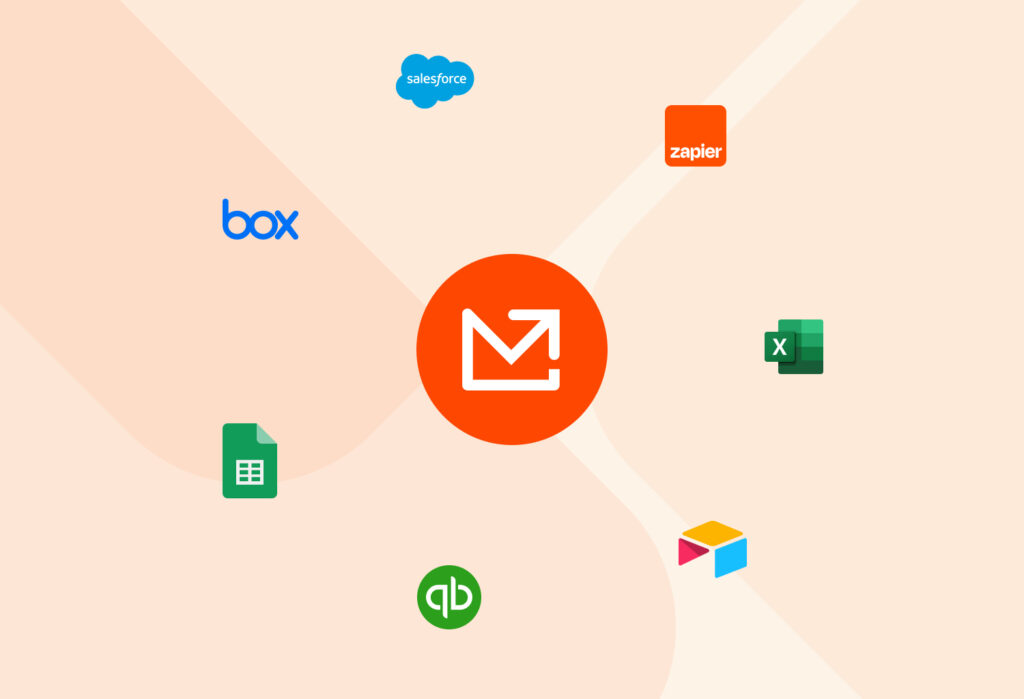
Many small and mid-sized businesses rely on Excel because it’s familiar and easy to customize. That being said, should you decide to use another tool like Google Sheets or a CRM, Mailparser will still fit within your new workflow.
In fact, exporting email data to your business system unlocked new automation possibilities: you can set actions that trigger whenever new data arrives, such as:
- Notify team members on a Slack channel
- Three-way matching for invoices
- Generate reports
- Send automatic outbound emails
Teams that automate their email workflows free up valuable time for high-impact work: connecting with leads, providing better customer service, uncovering strategic insights from data sets, and more.
Frequently Asked Questions About Mailparser
What is Mailparser?
Mailparser is an email parsing software that extracts data from emails and it into searchable, accessible data to aid in automating your business.
We recommend Mailparser for businesses or individuals needed to process batches of emails with a similar layout or structure. Most of our clients have between 1-100 different email layouts with around 50-200,000 emails monthly.
Popular use-cases for Mailparser are:
- Automated Data Entry
- Contact Inquiries
- Lead Capturing
- Logistics & Delivery
- Order Fulfillment
- Attachment Parsing
Can Mailparser extract email addresses, names, and phone numbers within the text of an email?
Yes, absolutely!
Can I move my entire Gmail inbox to an Excel spreadsheet? I have around 300 to 400 emails and want to move each email to the spreadsheet.
Gmail has a restriction of 100 emails a day to forward older emails, but we have a blog post for a Chrome extension download that can forward your older Gmail messages.
What are email parsing rules?
Email parsing rules are sets of instructions you create to tell Mailparser where to search for your data, whether that data is in an email’s body or contained within a text-scannable email attachment.
Typically, parsing rules target specific fields or data points within your emails like a tracking number, but parsing rules can extract entire tables of data. Furthermore, you can use filters to isolate and extract only the data you need. These filters tell our system to look for specific fields and patterns.
What are the formats that I can parse my emails to?
Mailparser supports the following file formats: PDF, DOC, DOCX, XLS, XLSX, CSV, TXT, and XML.
Does Mailparser have a free trial?
Yes, you can sign up for a 30-day free trial and start using Mailparser right away. No credit card information is required.
Is Mailparser secure?
Yes, we take data security very seriously. Our system is compliant with the latest web security standards. For more details on data security, please read this page.
In Conclusion
Adding email data to an Excel spreadsheet doesn’t have to be a daunting task. Mailparser allows you to automate this process without needing technical skills or having to double-check for inaccuracies. So you save countless hours, eliminate human error, and free yourself (and your colleagues) from the tedium of manual data entry.
By following the steps outlined in this guide, you can effortlessly extract data from your emails and export it directly to Excel, allowing for easy organization, action, analysis, and reporting. Whether you’re managing sales leads, processing orders, or tracking customer inquiries, Mailparser provides a reliable and efficient solution to handle your email data. Try it for free today and reap the benefits of automation.