What is Marketing Cloud Account Engagement (Formerly Pardot)?
Marketing Cloud Account Engagement is a B2B marketing automation platform that helps marketing teams automate repetitive tasks such as lead nurturing, lead scoring, segmentation, email campaigns, and lead qualification. Users can then pass qualified leads to the sales team to nurture relationships and close deals.
So, what about Pardot?
Well, Pardot was a marketing automation platform founded in 2007. It quickly became successful and was acquired in 2012 by ExactTarget. In 2013, Salesforce bought ExactTarget, thus adding Pardot to its ecosystem in the process.

Source: VirtualStacks
In 2022, Salesforce rebranded Pardot as Marketing Cloud Account Engagement to fit better in the Salesforce suite. Despite this, many users still call it Pardot to this day out of habit.
What are the features of Marketing Cloud Account Engagement?
Salesforce Marketing Cloud Account Engagement offers many features for B2B marketing automation:
- Landing page and form builders.
- Lead scoring and grading. Score leads based on engagement, and grade them based on how well they fit your ICP (Ideal Customer Profile).
- Audience segmentation.
- Engagement Studio: Lets you design multi-step customer journeys with branching logic for lead nurturing campaigns.
- Campaign tracking and analytics.
- Dynamic content and personalization.
- Einstein AI for lead scoring and insights.
- Sales alignment and notifications.
- Syncs with Salesforce CRM to allow the sales team to work with the same prospect data.
MCAE helps marketing teams automate many of the lead management tasks that are repetitive in nature, allowing them to follow up with, engage, nurture, and qualify leads much more efficiently. This, in turn, allows the sales team to focus on high-value deals.
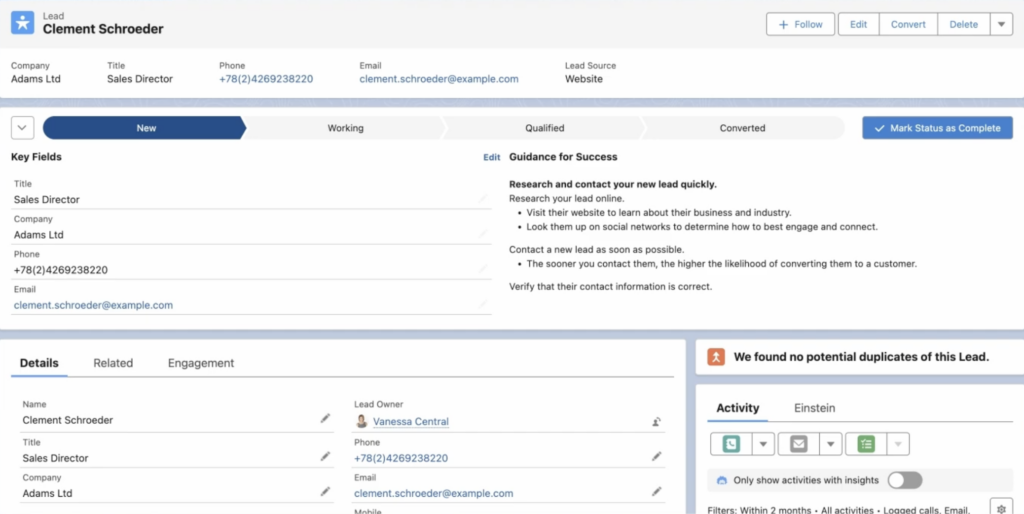
Example of a prospect record in Marketing Cloud Account Engagement (formerly Pardot). Source: YouTube
However, before you can take advantage of MCAE’s capabilities, first, you need to add prospects to it. Sometimes, this first step can be a challenge.
The Challenge: When Email-Based Lead Data Is Hard to Import
Salesforce’s Marketing Cloud Account Engagement allows users to import prospects from a CSV file or via an inbound integration. But here’s where the challenge lies: getting lead data in the right format, with clearly defined fields, without having to do it manually.
This is a common challenge for businesses that receive new leads via unstructured or semi-structured emails from various systems:
- Website contact form notifications.
- Partner or affiliate referrals.
- Webinar or event registration emails.
- Marketplace or lead provider notifications.
- Internal systems that generate email alerts instead of API requests.
While these emails may contain the same lead data fields, they have different layouts, making a mass import unlikely or outright impossible.
But inputting data into Pardot manually is time-consuming (sometimes you have hundreds of contacts to add) and just not scalable. In fact, it creates a bottleneck between the marketing and sales teams, leading to lost opportunities.
If you are facing this challenge, your best option is to use our email parser to automatically extract lead data in a structured format that’s ready to import into MCAE, either via a CSV file or an integration.
Let’s see how Mailparser works.
How to Automatically Send Email Data to Marketing Cloud Account Engagement
Mailparser is a no-code web app used by businesses to extract data from emails and send it to their business tools. To send structured lead data to Marketing Cloud Account Engagement, follow these steps:
- Create an inbox in Mailparser.
- Send a sample email to your Mailparser address.
- Set up parsing rules to extract the data fields you need. Mailparser has an Automatic Setup that can identify data fields and create parsing rules to extract them. You can also build rules from scratch with filters.
- Once your parser is set up, you can start sending emails and get structured data, which you can then download as a CSV file or export to MCAE via an outbound integration.
Take a look at this example of lead information in an email and the structured output you get when using Mailparser:
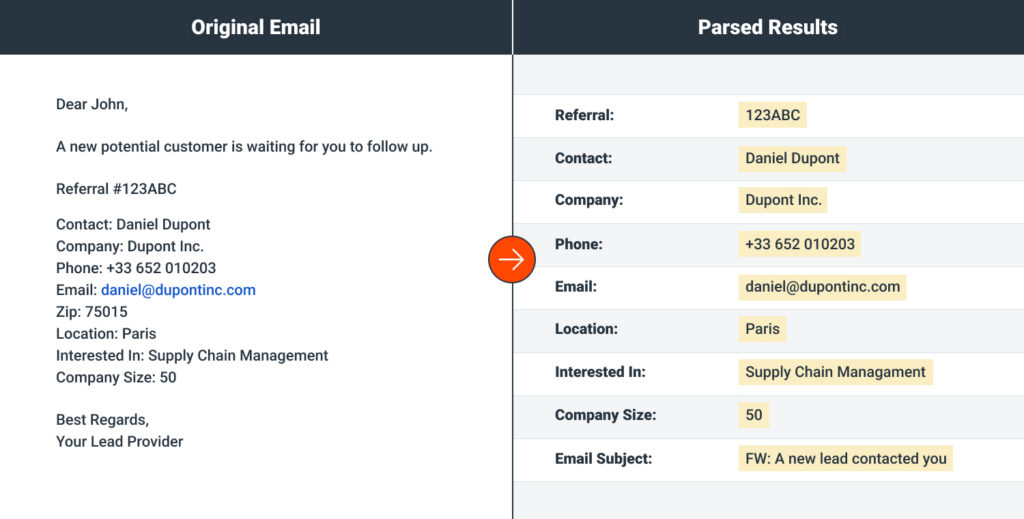
If you receive emails from multiple sources, you can create multiple parsers in Mailparser, each for a different lead source, and set them to extract lead details in the same structure.
This way, you consolidate prospect data from all email-based sources into the same output, where all the data fields follow the same structure.
Then, you can either download your data as a CSV file and import it in MCAE, or automatically export the data, all at once, to MCAE via an integration.
In fact, Mailparser integrates with thousands of cloud apps, including popular integration platforms such as Zapier.
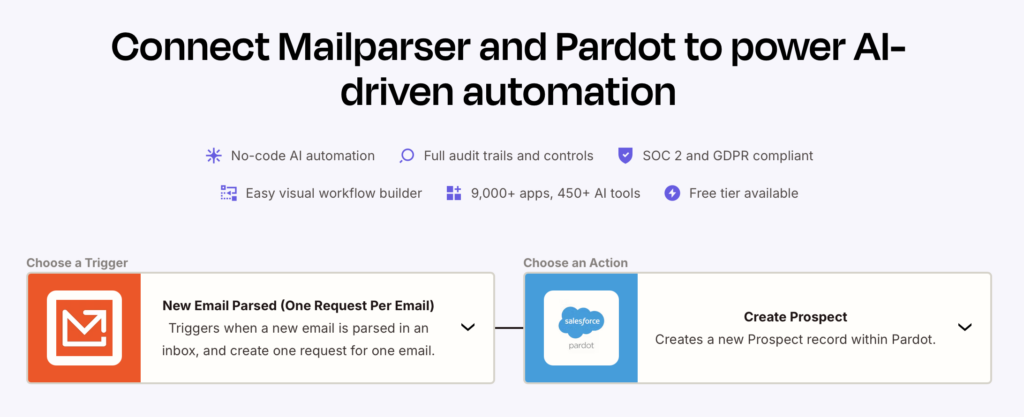
Zapier helps you automate the workflow of creating a new prospect in Marketing Cloud Account Engagement (Pardot) by moving the prospect data from Mailparser to MCAE.
Does this solve your manual data entry challenge? If so, sign up for a Mailparser account and discover the efficiency of workflow automation.