
Every Team Needs a Real Estate CRM – Here’s Why
A CRM (short for Customer Relationship Management) is a software system that helps businesses manage interactions with prospects and clients. CRMs often include features that streamline tasks related to sales, marketing, and customer service. Think following up with prospects, nurturing leads, responding to inquiries, and much more. It’s a must-have for many real estate agencies – here is why.
Centralize information and stay organized
Teams that don’t use a CRM will lose time searching for information scattered across emails, spreadsheets, notes, and memos. Crucial details can be missed, and the lack of visibility leads to mistakes.
A real estate CRM helps store all information in one place and keep touchpoints organized. A shared contact history provides agents with the context they need to work with clients. So no one is missing information they should know.
Ensure effective communication and collaboration
Using a CRM improves team communication and collaboration in many ways. For each lead or customer, agents can access their interaction history, previous deals, and other relevant information to start conversations with full context.
Likewise, agents can message each other, leave comments, share documents, check activity logs… this allows them to share important information as well as prevent miscommunication, information silos, or duplicate work.
Save time and reduce administrative work
A day in the life of a real estate agent includes a lot of administrative work like entering data, assigning a lead, updating deal status, scheduling property viewings, creating reports… Performing these repetitive tasks manually can take hours.
On the other hand, your CRM can streamline and even automate many of these tasks, giving you and your team more time to connect with clients and close deals.
Close more deals
All the various benefits of a real estate CRM compound to help agents reach the end goal: closing more deals.
By handling the repetitive work and providing the necessary information, a CRM for real estate agents helps them follow up faster. Streamlining workflows will help your team outpace the competition and turn more opportunities into successful transactions.

Nurture lasting relationships with customers
CRMs help teams keep in touch with customers and leads through follow-up reminders, email campaigns, personalized messages (e.g., home purchase anniversary), etc. Even if a prospect doesn’t close a deal with you today, they might do it in a few months or years. Or they might refer another person to your business.
Without a CRM, it’s easy to lose track of prospects who aren’t ready to act now. This means you’ll miss out on future conversions, repeat business, and referrals.
What Features Should a Real Estate CRM Have?
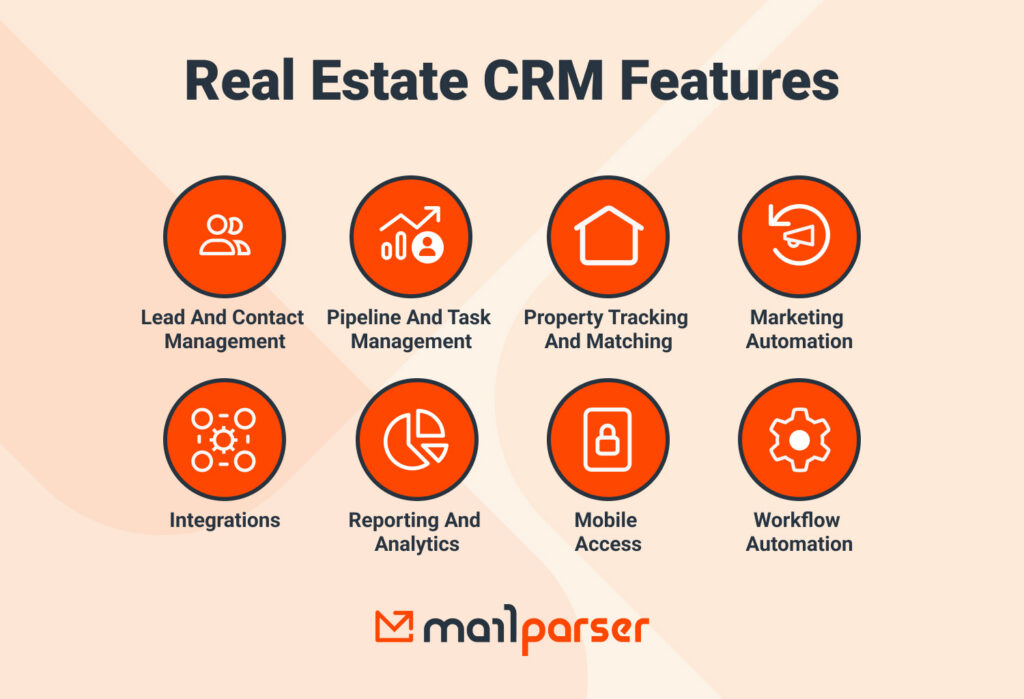
The key features you should look for in a real estate CRM include lead and contact management, pipeline and task management, property tracking and matching, marketing automation and personalization, integrations, reporting and analytics, mobile access, and workflow automation to facilitate work and ensure scalability.
Lead and contact management
Lead management is an essential feature of any CRM. Features should include lead capture, qualification, scoring, assignment, follow-up, nurturing, and tracking. Agents should be able to do all of this from the CRM with ease.
By the same token, you need to store and organize all contact information: names, phone numbers, addresses, buyer / seller status, transaction details, etc. Your team can then segment leads based on shared characteristics or behaviors and send personalized communications.
Pipeline and task management
Pipeline management helps agents see where each lead or deal stands and what needs to happen next. Task management features can help agents organize follow-ups, appointments, deadlines, and other activities so that important tasks don’t get overlooked.
Property tracking and matching
A good CRM for real estate agents should help them track each property’s details (type, location, price) and status easily. Furthermore, property matching makes it easy to match properties with leads based on their preferences.
Marketing automation and personalization
The best CRMs for real estate have features for sending personalized email or SMS messages to leads and customers. Your team can send property updates, follow-ups, annual check-ins, purchase anniversary messages, and drip campaigns. These messages can be triggered following set periods of time or when deals reach certain stages.
If you want to learn more about email marketing automation, feel free to read our article “The Beginner’s Guide to Email Marketing Automation: Benefits, Types, & Setup”.
Integration support
Make sure the CRM you choose can integrate with your existing tools, such as email marketing platforms, calendars, and social media channels. Setting up integrations across tools helps data flow seamlessly between them.
Reporting and analytics
Another must-have feature is the ability to generate reports and analyze data to uncover insights on customer behavior, conversion rates, agent performance, revenue trends, pipeline value, sales cycle length, and more.
Mobile access
Accessing the CRM from a mobile device, either a smartphone or tablet, is important for agents outside the office, since a laptop can be cumbersome. Having a mobile version of the CRM helps agents update deals quickly. That way, no update is delayed or forgotten.
Workflow automation
The best CRM for real estate professionals lets them build automated workflows that handle routine tasks with little to no manual intervention. Think follow-up messages, lead scoring, lead assignment, reminders… Automating those workflows reduces administrative work and frees up agents for building relationships and advancing deals.
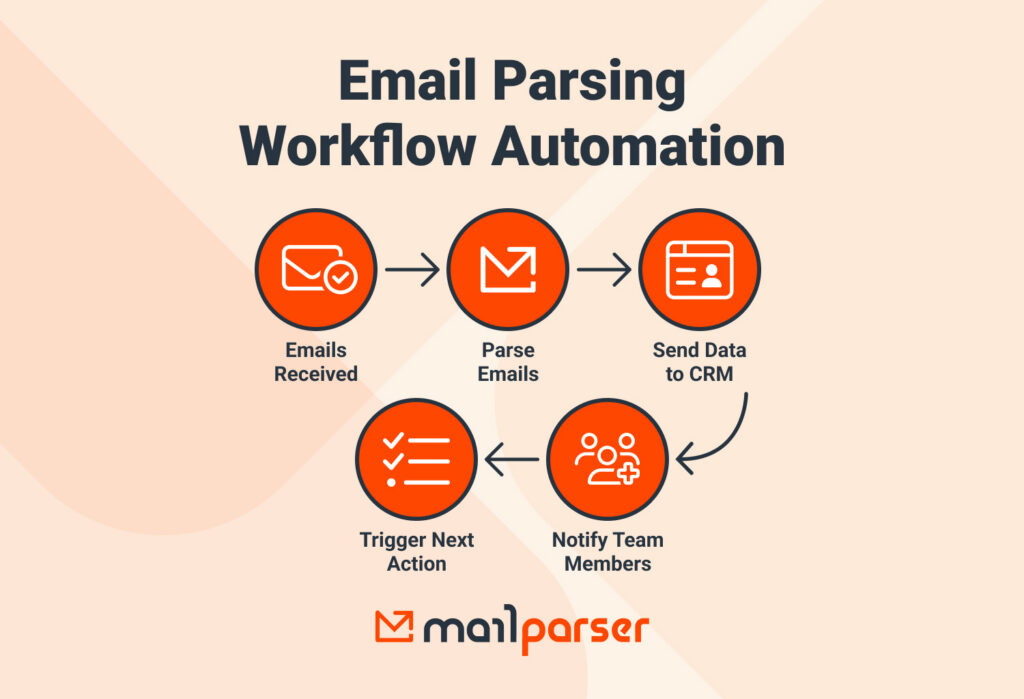
Essentially, Mailparser works like this:
1. Forward lead notification emails to Mailparser
First, select the lead notification emails in your inbox and forward them to your Mailparser address.
2. Parse emails
Mailparser extracts data fields according to a set of parsing rules. One rule will extract the lead’s name, the next pulls their phone number, and so on. You can use our pre-built real estate templates or build parsing rules from scratch.
3. Export lead data to your real estate CRM
Next, you export lead data to your real estate CRM via a cloud integration. During setup, you map the extracted data to the corresponding CRM fields. That way, the integration will automatically create new contacts whenever new emails get parsed.
4. Automate the next steps in your workflow
Now that you can automatically capture leads from your inbox and create new contacts in your CRM, you (and your team) will be able to perform the next actions much faster than before: lead assignment, automated follow-ups, lead qualification, etc.
Whenever your CRM has issues capturing leads from emails quickly, Mailparser handles that process reliably so you can follow up with leads quickly and increase your lead-to-sale conversion rates.