Capture Leads and Build a Simple Lead Management System

Last Updated: February 6, 2026
Lead Management System

Table of Contents

Automatically Extract Data From Emails

Capture data from incoming emails and send it to spreadsheets, Google Sheets, databases, APIs, integration services, and more.

No credit card required

If you want to build a simple lead management system, lead capture is the first place to start. Many businesses receive leads through contact forms, quote requests, or direct inquiries that arrive by email, but manually copying that information into spreadsheets or CRMs slows response times and causes errors.

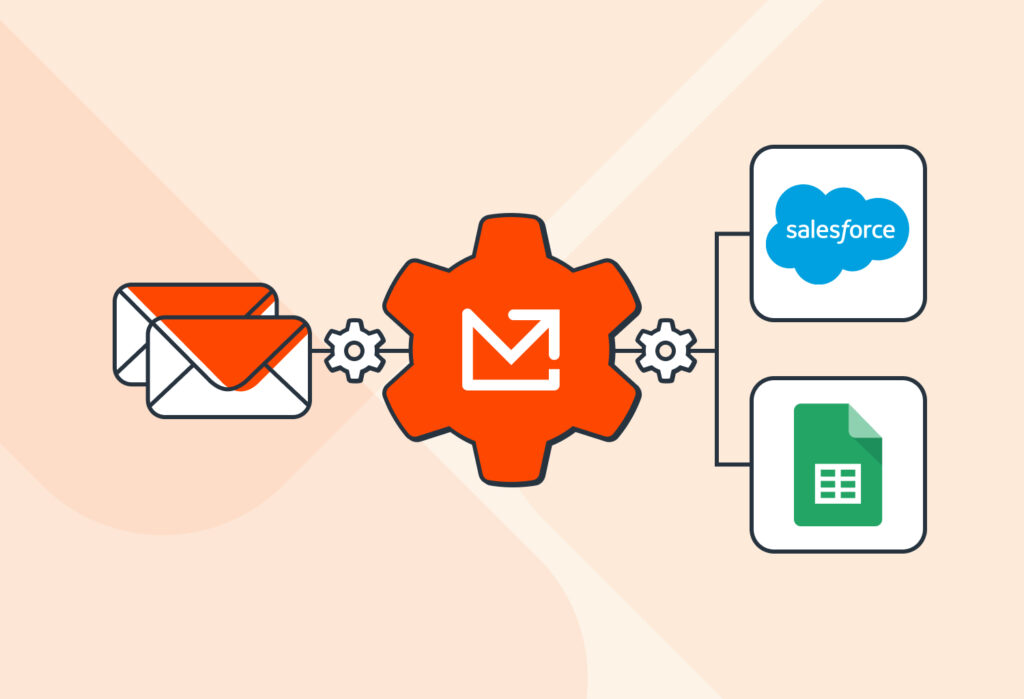
Mailparser allows you to automatically extract lead details from incoming emails and send them to tools like Google Sheets, Notion, or a CRM like Salesforce. Our email parser helps you save hours of manual work and avoid errors. It also allows teams to trigger follow-ups, notify sales reps, and automate next steps without relying on complex or expensive lead management software.

In this guide, you’ll see how to capture leads in just a few minutes using Mailparser, and how one company simplified its lead management system by automating email-based lead capture and responding faster.

Capture Data from Emails Effortlessly

Save countless hours of tedious data entry and streamline your workflows.

No credit card required.

Why Lead Management Starts With Effective Lead Capture

Lead management is the process of acquiring, organizing, tracking, and nurturing leads to convert them into clients. A lead management system is the software (oftentimes a cloud-based CRM) or set of tools used to manage leads. This system allows sales teams to assign leads, follow up with them, track interactions, and manage lead data in one place.

In practice, many teams struggle with lead capture, which is the process of inputting lead details (name, email address, company, etc.) in the lead management system. When sales representatives do this manually, it takes them more time to assign leads and follow up with them, so the business loses opportunities.

This is why efficient lead capture is necessary for any lead management system. Whether you use an advanced platform for CRM lead management or just a Google spreadsheet, you need lead data to arrive there quickly and accurately.

Mailparser fits into this approach by focusing specifically on lead capture. It’s not a CRM, but an email parsing tool that automatically extracts lead data from incoming emails and sends it to spreadsheets, lead management software, or CRMs. By solving the lead capture problem first, you can build a simple, reliable lead management system.

Capture Data from Emails Effortlessly

Save countless hours of tedious data entry and streamline your workflows.

No credit card required.

How to Capture Leads in 3 Minutes With Mailparser

Watch this short tutorial to learn how to capture leads using Mailparser in just three minutes:

To recap, follow these steps:

  1. Create an inbox in Mailparser.
  2. Send a sample lead to your Mailparser inbox.
  3. Generate parsing rules with the Automatic Wizard Setup to capture lead information. You can add more parsing rules if needed.
  4. Create an integration to export lead data to an app like Google Sheets or a cloud-based CRM.


To see how this approach works in practice, let’s take a look at a company that simplified its lead management system using Mailparser.

How Westfield Creative Simplified Their Lead Management System Using Mailparser

Westfield Creative is an agency that specializes in Mailchimp email marketing. It receives leads on an almost daily basis. Because of that, Emily, co-founder of the agency, struggled a lot with managing incoming leads.

Due to the high volume of incoming leads, the agency spent a lot of time reviewing and responding to them one by one. The slow response times often meant losing potential clients to other agencies. In order to respond faster, Westfield Creative needed a better system to collect and manage leads.

After discovering Mailparser, the agency’s lead management system changed, going from slow and tedious to fast and painless. Now, their lead capture and follow-up workflow looks like this:

  1. Emails come in.
  2. Mailparser extracts the lead information.
  3. Lead data is sent to the agency’s CRM.
  4. A response email is automatically created and sent to the lead.


The best part? Emily no longer has to spend time inputting leads manually, and delays are pretty much gone. By using Mailparser, Westfield Creative is able to:

  • Save the time they used to spend on manual data entry.
  • Respond to leads a lot quicker than before.
  • Improve lead conversion rates thanks to the fast response times.


This example illustrates how automating lead capture can help build a simple lead management system that efficiently handles essential tasks, allowing people to promptly start conversations with leads and win more clients.

Watch this short video where Emily explains how Mailparser improved the lead management system of Westfield Creative:

Mailparser Is Ideal for Your Business If…

If lead capture is hindering your ability to follow up with leads in a timely manner, you should automate it. Mailparser is built for this purpose and is likely a good fit for your business if you relate to the following points.

You receive leads mainly by email

If you receive leads through email notifications from contact forms, quote requests, direct inquiries, or other sources, you will benefit a lot from email parsing. When leads sit in your inbox, it’s easy for them to get buried under newer emails. And missed emails mean missed opportunities.

By forwarding leads to your Mailparser address, you ensure that no lead is missed. Your email parser automatically extracts lead data, whether it’s in the email body or an attachment, and sends it to a spreadsheet, lead management software, or cloud-based CRM.
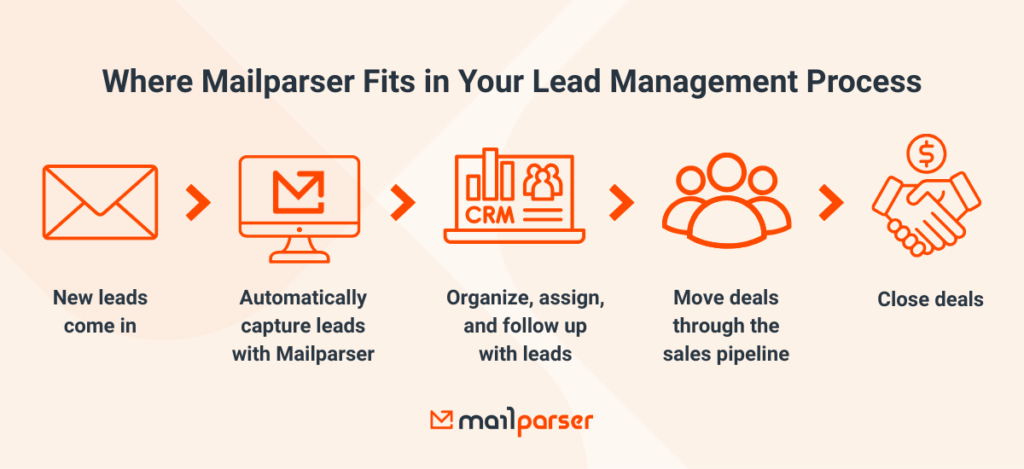
Lead Management Process With Mailparser

You manage leads in Google Sheets, Notion, or a CRM

If you already manage your leads in tools like Google Sheets, Notion, or a CRM, you don’t need to replace them. Mailparser connects with these platforms and moves lead data directly where it needs to go, fitting easily into your tech stack.

You want a simple lead management system

Not every business needs a full-featured CRM. If you want to keep things simple and avoid investing in a CRM powerhouse, Mailparser offers a lightweight way to build a lead management system focused on lead capture rather than complex sales features. If you feel you don’t need to pay a hefty subscription for functionalities you may not use, it makes sense to use a simple lead management system that covers the essential functions.

You need fast and accurate lead data movement

If you have dealt with data entry errors before, you know how frustrating and time-consuming it can be to fix them.

One of the standout features of Mailparser is that it lets you build customized parsing rules to extract data fields with complete accuracy. The good news is you can customize Mailparser’s parsing rules as needed to capture lead details (names, emails, phone numbers, etc.) with complete accuracy. This ensures your data is always accurate and ready for immediate use.

Once accurate lead data flows into your database or lead management software, you can build end-to-end automated workflows that streamline routine tasks. That way, your team has more time to connect with warm leads and close deals.

In Conclusion

Building a simple lead management system doesn’t have to be complicated or expensive. By focusing on effective lead capture, businesses can ensure that every inquiry is captured accurately and routed to the right place. Mailparser makes the lead management process smooth and painless by automatically extracting lead data from emails and sending it to tools like Google Sheets or a CRM. Sign up for a free trial today and capture your lead data in minutes.


Capture Data from Emails Effortlessly

Save countless hours of tedious data entry and streamline your workflows.

No credit card required.

You Might Also Like

Automatically Extract Data From Emails

Capture data from incoming emails and send it to spreadsheets, Google Sheets, databases, APIs, integration services, and more.

No credit card required