What Is an Email Extractor? Clearing Up the Confusion
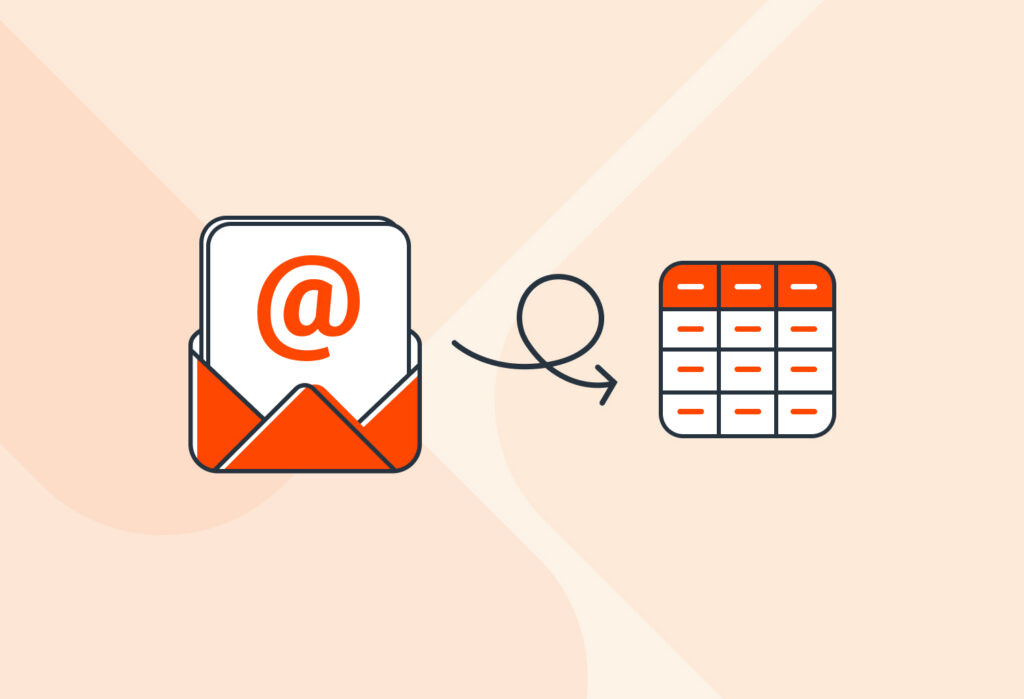
At its core, an email extractor is any online tool that pulls email addresses from a source, like a document, a web page, or an email. Professionals use email extractors to avoid having to manually search for and copy email addresses.
However, this term is often used interchangeably with two other terms, namely email scraper and email parser. At first glance, all three can extract email addresses. But understanding the differences between them is key to finding the right solution for your data extraction needs.
Email Scraper vs Email Extractor vs Email Parser
Let’s define each of the three tools:
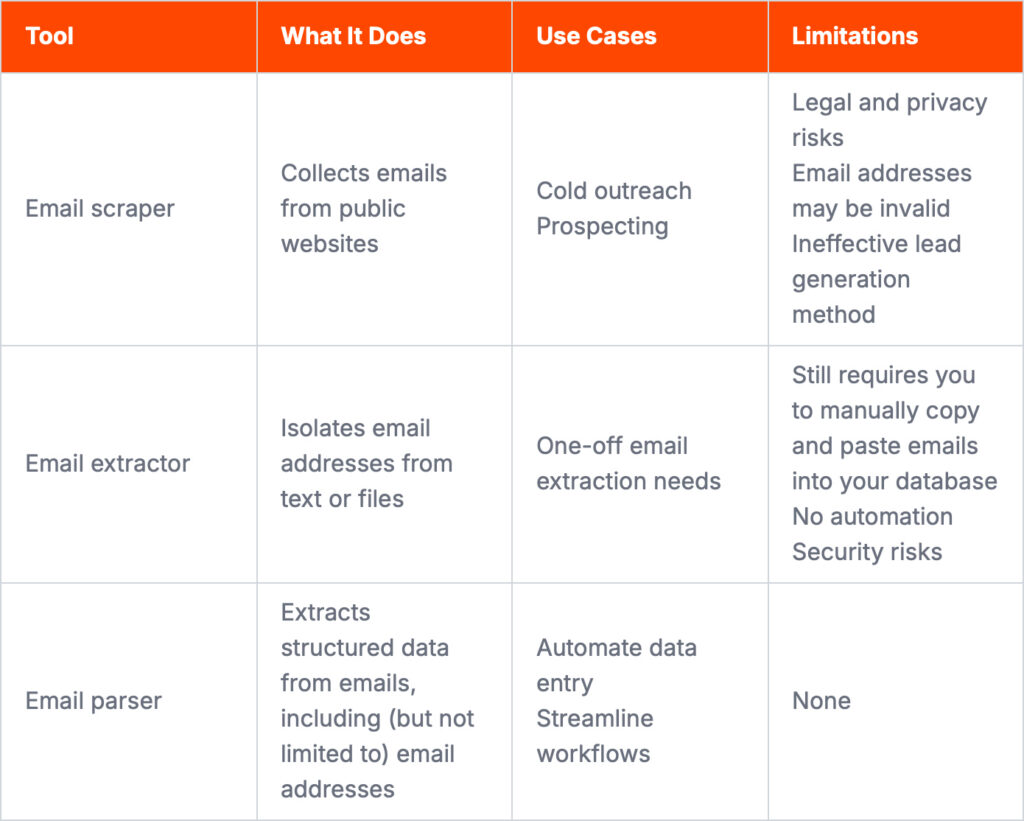
- Email scraper: A tool, often a browser extension or software, that crawls public websites to harvest email addresses. This is typically used for unsolicited lead generation and raises privacy and legal concerns (like GDPR guidelines).
- Email extractor: A simple web-based tool where you paste a block of text or upload a file to isolate email addresses. This is useful for quick, one-off tasks but lacks automation and integration features.
- Email parser: A specialized tool designed to automatically extract structured data, including email addresses, from the emails you receive. It works with emails from contact forms, customer orders, or support tickets, and seamlessly sends the data to your spreadsheet, database, or CRM.
The table below highlights how these tools differ in practice:
Important clarification: our tool is not for email scraping
If you are looking for a tool to scrape email addresses from public websites, LinkedIn, or directories, Mailparser is not built for this purpose. Mailparser is an email parser that extracts data, including email addresses, from emails sent to your inbox.
Pro tip: to generate qualified leads (rather than maximizing lead volume), we suggest following tried-and-true methods such as content marketing, webinars, referrals, or offline networking.
Common use cases of extracting email addresses (and other data)
Professionals across industries need to collect email addresses along with other information efficiently. Here are some common use cases:
- Sales teams capture leads from incoming emails. They receive email notifications for new contact forms, partnership requests, or demo inquiries and must input lead data on a CRM. Here, the email address is just one of several data points: name, phone number, company name, inquiry, etc.
- Marketing teams organize email lists. Email marketers typically consolidate contacts from multiple sources then segment audiences to create personalized email campaigns.
- Customer support teams manage inquiries and feedback. Extracting customer information, including email addresses, from support emails or tickets is key to tracking conversations and improving response workflows.

An email extractor extension or tool can work for one-off tasks, but they fall short in daily workflows. In most cases, an email address is only one of several data points you need to capture.
Plus, while email extractors can isolate email addresses from text or documents, you still have to copy and paste them and manually enter the remaining information. This quickly becomes time-consuming, error-prone, and difficult to scale. Over time, manual data entry creates workflow bottlenecks and unnecessary stress for your team.
So if you’re spending hours each week copying data from emails or documents, it’s worth switching to a more efficient approach, such as using an email parser.
How to Set Up Your Automated Email Parser With Mailparser
Follow these three simple steps to extract email addresses and other important data from emails using Mailparser.
Step 1: Forward a sample email
First, sign up for a Mailparser account. You’ll then see a prompt to create your first inbox, which is where you’re going to forward the emails containing email addresses.
After creating and naming your inbox, Mailparser will generate a unique email address for it.
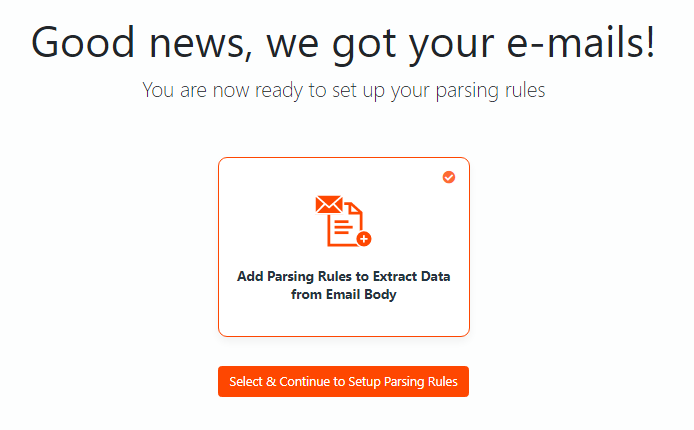
Now, forward a sample email to your Mailparser inbox. You’ll see this message:
Step 2: Set parsing rules in seconds
Mailparser has an Automatic Setup Wizard that can create a set of parsing rules in seconds.
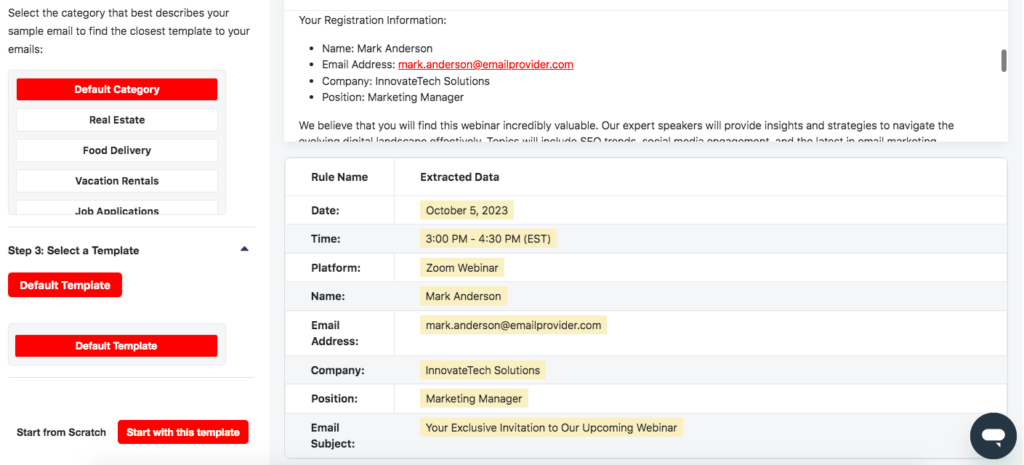
As we can see, the Automatic Setup has successfully extracted the email address along with other data fields. Note that you can also extract the sender’s email address in addition to data from the email body or attachments.
Now, save the parsing rules by clicking on ‘Start with this template’.
Additionally, you can always edit your rules in the Rules section of your dashboard and add more if needed.
Step 3: Download or export your data
In the Downloads section, you can save your data as a file in XLS, CSV, JSON, or XML format. This can be useful when you want to compile email addresses from multiple emails into one list.
In the Integrations sections, you can add an integration to export your data to a cloud application like Google Sheets or a CRM. Essentially, you authenticate your account, specify the location where you want to send the data, and map the data fields from the email with the corresponding fields in your app.
Here is an example of exporting the data from our sample email to a Google spreadsheet:
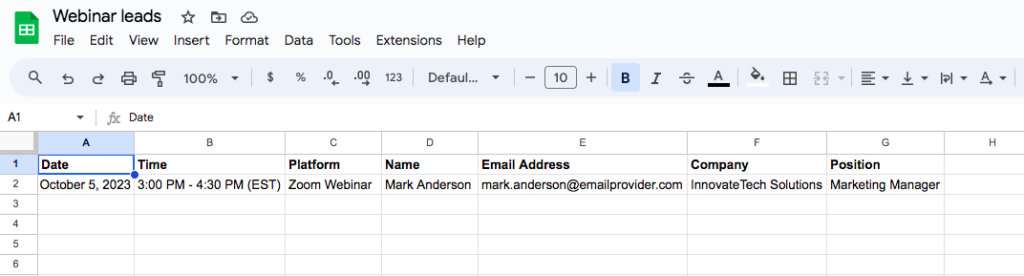
After completing these steps, every email that you forward to Mailparser is processed automatically and sent exactly where you need the data.
What Else Can Mailparser Do?
Being an email parser, Mailparser can do a lot more than just extract email addresses. You can use it to extract any kind of text or table data: names, addresses, invoice line items, shipping details, support ticket numbers, or survey responses.
No matter your industry, you can automate repetitive data entry. Businesses use Mailparser to process orders, manage inventory updates, compile feedback, log expenses, or any other data that comes regularly via email.
To give you a clearer idea of how businesses improve their productivity using Mailparser, here is one example.
Case Study: Gill Sensors & Controls
Gill Sensors & Controls is a leading UK manufacturer of measurement sensors used across industries like manufacturing, defense, motorsport, and renewable energy. Prior to discovering Mailparser, the marketing team used to add email addresses to Mailchimp manually. As one can imagine, that process was very long and tedious.
Michelle Errington, digital marketing specialist at Gill Sensors & Controls, said the following about using Mailparser as an email extractor:
“We have been using Mailparser for about a year to extract email addresses that we receive from download forms on our website, gillsc.com. The emails are automatically sent over to Mailparser and categorised into the appropriate category through a unique email address supplied by Mailparser. The data is then extracted from Mailparser and then sent over via a webhook integration to Zapier, which then processes and sorts the data and delivers it to Mailchimp. Mailchimp then sends out an automated email campaign.
Prior to using Mailparser we had to sort the emails manually and then add them to Mailchimp; this would be very time-consuming. With the help of Mailparser the process is now completely automated and takes no time at all.”
Businesses across industries, big and small, rely on Mailparser to extract important information from recurring emails efficiently and automate everyday tasks.

Frequently Asked Questions
What’s the best way to extract email addresses from Gmail or Outlook?
The most efficient method is to use an email parser software. Set up a forwarding rule in Gmail or Outlook to send relevant emails to your Mailparser. Then, Mailparser will extract email addresses (along with any other relevant data) and send them to a spreadsheet or app automatically, saving you hours of work.
How is email parsing different from email scraping software?
Email scrapers crawl websites to collect addresses, often without consent, raising legal concerns. An email parser, on the other hand, extracts data from emails sent to you. It processes data you already own or have permission to manage.
Can I extract emails from a PDF or Excel attachments?
Yes. Mailparser can extract emails from PDF or Excel attachments. In fact, our tool can parse email attachment in those formats: PDF, Excel, DOC, DOCX, CSV, TXT and XML.
How do I export the extracted emails to my business system?
Mailparser offers direct integrations (like Google Sheets and Salesforce) as well as third-party integration such as Zapier and Claris Connect. This means you can connect Mailparser with thousands of cloud apps, making it possible to automatically send extracted data to your business system. Plus, you can even send data to an API via a custom webhook.
Is it difficult to set up parsing rules?
Not at all. Mailparser’s Automatic Setup can generate parsing rules in seconds, provided that the layout of your email body or attachment is simple. For more complex needs, our point-and-click editor lets you build parsing rules manually by adding filters that isolate data.
In Conclusion
Whether you’re looking to streamline lead management, organize your email list, process customer inquiries, or anything else, you need a reliable tool to extract email addresses – and other data – from documents, text, or emails.
But as it turns out, isolating data from its source isn’t enough to unlock true efficiency; you also need to move it to your database or system as seamlessly as possible. Only then will you move beyond manual email extraction and reap the benefits of automated data-driven workflows.
To extract email addresses and automatically export them anywhere, look no further than Mailparser. Our email parser fits into your existing systems and workflows. Use it to parse email addresses and watch your productivity soar to new heights. Sign up today and start parsing email addresses in seconds.