What Is Email Marketing Automation?
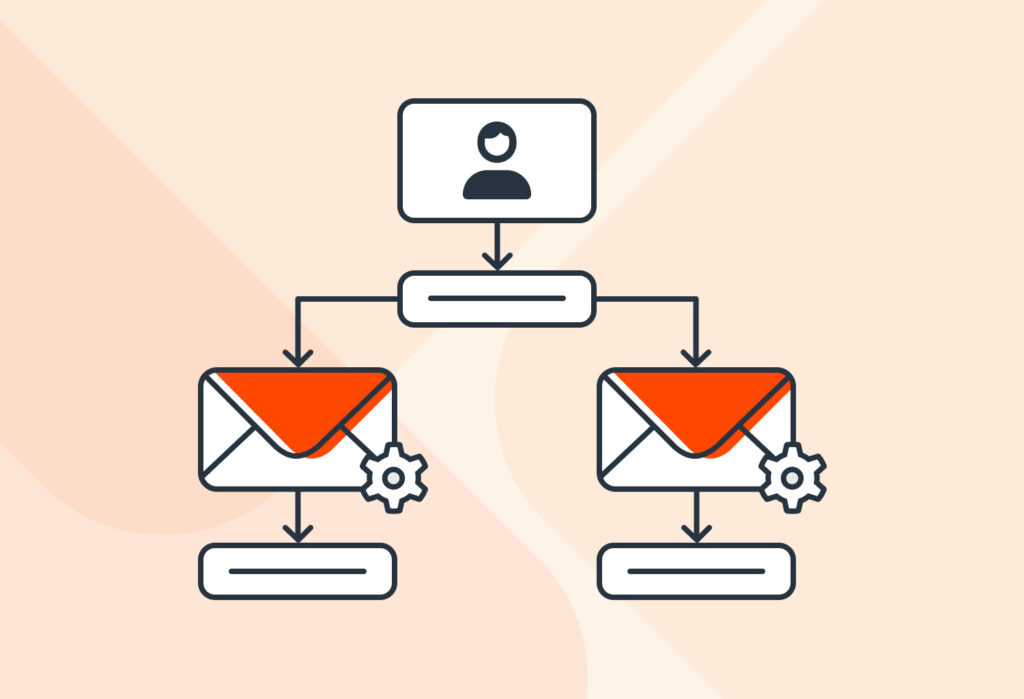
Email marketing automation is the process of using software to automatically send targeted marketing-related emails to your audience based on actions or behaviors they take, such as signing up, making a purchase, or leaving items in a cart. This helps businesses nurture leads, build relationships, and drive conversions efficiently.
But wait – is email automation the same thing?
You might see those two terms – email automation and email marketing automation – used interchangeably, but do they mean the same thing? Well, they are quite similar, but there’s a key difference.
You guessed it: the absence of the word ‘marketing’. Email automation is the broader concept of sending automated emails based on specific triggers. This includes any type of email: password resets, internal notifications, promotional campaigns, etc.
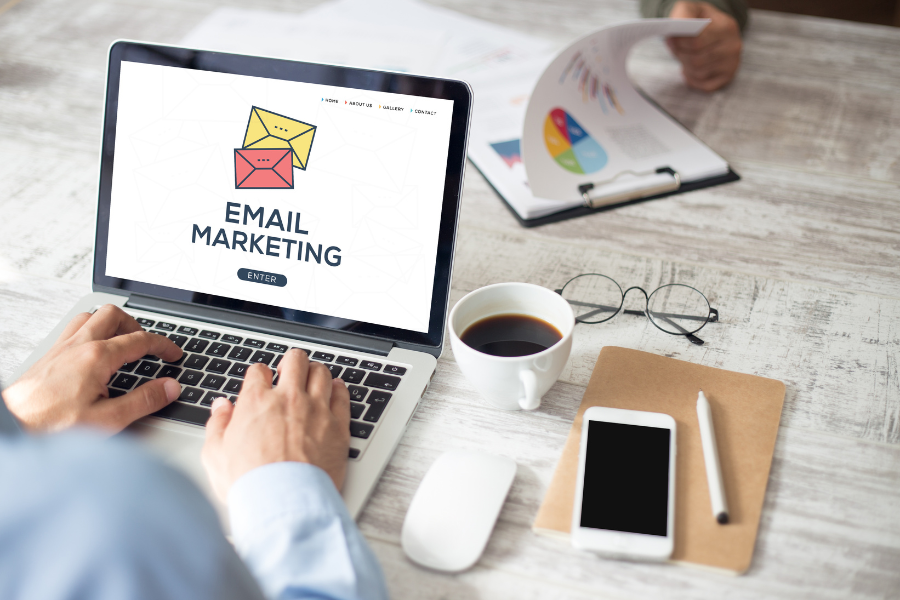
Email marketing automation, on the other hand, focuses on marketing-related automated emails: welcome emails, recommended products, abandoned cart reminders, educational emails, and so on.
So in other words, all email marketing automation is email automation, but not all email automation is marketing automation. It’s not exactly wrong to use the former when you mean the latter, but it’s important to know the distinction between the two.
So, what makes email marketing automation important for your success? Let’s jump into it.
Key Benefits of Email Marketing Automation
You already know the benefits of automation in general: less manual work, more efficiency. But what does this look like when applied to email marketing? Without further ado, let’s take a look at five key benefits of email marketing automation.
1. Save time, effort, and money
Writing emails manually takes time. And the more leads and customers come to your business and interact with it, the more marketing emails must be created and sent. At some point, your team won’t be able to keep up.
Well, you don’t have to wait for bottlenecks to occur. Email marketing automation software can create and send those emails whenever the need arises – like support ticket confirmations or cross-sell emails. You save hours of repetitive work, drive down the costs of email marketing, and focus on more strategic and creative work.
2. Increase revenue
Email marketing is a tried-and-true method for generating more sales. And automation takes it even further by delivering messages at the moments when subscribers are most likely to take action, such as after joining your list or browsing products.
Other examples of automated emails that generate sales include:
- Birthday emails
- Replenishment reminders
- Back-in-stock notifications
- And more
By sending relevant, timely emails, you convert warm subscribers into customers and encourage existing customers to buy again. This targeted approach often leads to higher conversion rates and a stronger return on investment compared to manual or one-size-fits-all email campaigns.
3. Personalize the customer experience
When customers have personalized experiences, they are more likely to engage with your brand, buy again, and become a loyal customer in the long term.
Beyond mentioning a person’s name in the subject line and body, automation allows you to tailor emails to each subscriber’s interests, behavior, and stage in the customer journey. They get recommendations, offers, and resources that are relevant to them.
Here’s how you build personalized experiences for your customers:
- Segment your audience by behavior, interests, or demographics.
- Send behavior-triggered emails (e.g., abandoned cart, product recommendations).
- Include personalized content based on past purchases or browsing history.
- Customize send times based on when each subscriber is most active.
4. Improve customer retention and loyalty
Like we just said, automated emails keep your customers engaged long after their first purchase. They keep buying over time and may even become brand ambassadors.
From thank-you emails to birthday emails, product usage tips, loyalty rewards, and re-engagement campaigns, you strengthen the relationship and encourage repeat business with minimal effort. As a result, you reduce churn, increase customer lifetime value, and get more referrals from your customer base.

5. Scale your business easier
As your business grows, your need to automate repetitive tasks grows as well, including email communications. With the right email marketing automation software and a strong strategy, you can nurture and convert subscribers without increasing your team’s workload.
Whether you have 1,000 or 10,000 people in your email list, your automated workflows will maintain a consistent customer experience: timely, relevant, and personalized. So you and your team members will be able to focus on business growth without hitting roadblocks on the email side of your operations.
Alright, the benefits of email marketing automation are undoubtedly compelling. But what do automated emails look like? Let’s find out in the next section.
Types of Automated Email Sequences
Here is a rundown of essential automated email sequences that every business should have.
1. Welcome sequences
Perhaps the most common type of automated email sequences, the welcome sequence triggers whenever a person interacts with your business for the first time, whether they:
- Create an account
- Make a purchase
- Subscribe to your newsletter
- Download a free resource
- Sign up for a webinar
- Etc.
Usually, businesses will send 3 to 5 emails in this sequence, with an interval of a few hours up to a couple of days between them.
The welcome sequence is the perfect opportunity to make a strong first impression. To keep it brief, thank your lead for taking action, introduce your brand, provide value upfront (e.g. free gift, discount, etc.), and nudge them towards the next steps.
2. Abandoned cart emails
Remember the second example in our intro? Whenever a person leaves an item in their cart or doesn’t complete their purchase during checkout, they receive a reminder via email (provided you already have their address).
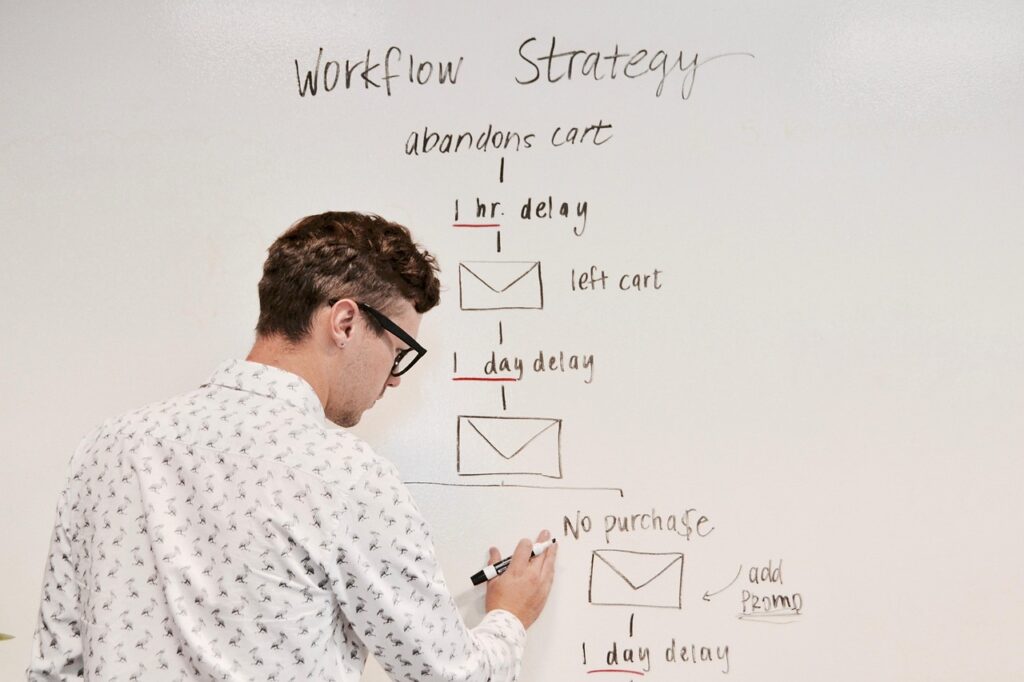
It’s clear why abandoned cart emails are a staple in email marketing: they help businesses make sales they would have lost otherwise, particularly in eCommerce. So be sure to set up an abandoned cart sequence made of a few emails (three, for example) that will be sent over a short period of time, like 72 hours.
3. Post-purchase follow-ups
As the name says, after a customer buys your product or service, they receive an automated email that confirms their purchase — sometimes followed by a thank-you email. For physical products, they will also receive a shipping confirmation email and, later, a delivery confirmation email.
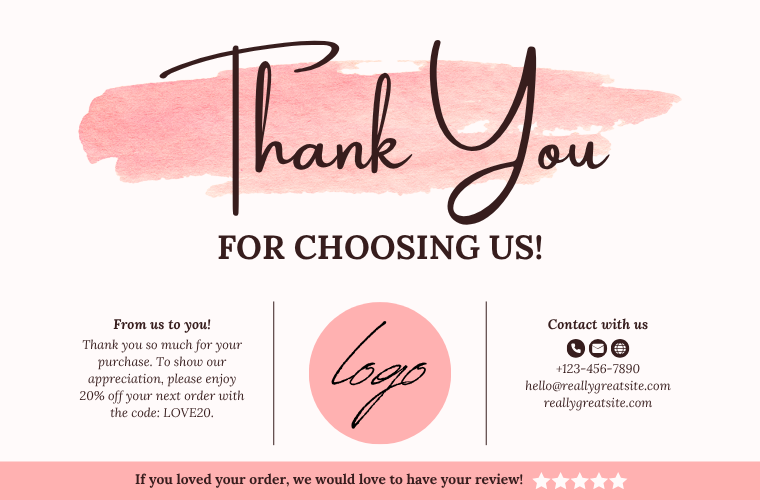
But it doesn’t stop here: you can also set up automated emails for review requests, tips to use a product, cross-sell recommendations, and more. These emails nurture the relationship with your customers and encourage them to buy again in the future.
Pro Tip: if you want to automate customer follow-ups, try our Outbound Email Integration feature. Basically, you can create email templates, populate them with customer data, and automatically send follow-up emails via Gmail or Outlook. To learn more, read our article “Introducing Our New Outbound Email Integration Feature”.
4. Re-engagement and win-back emails
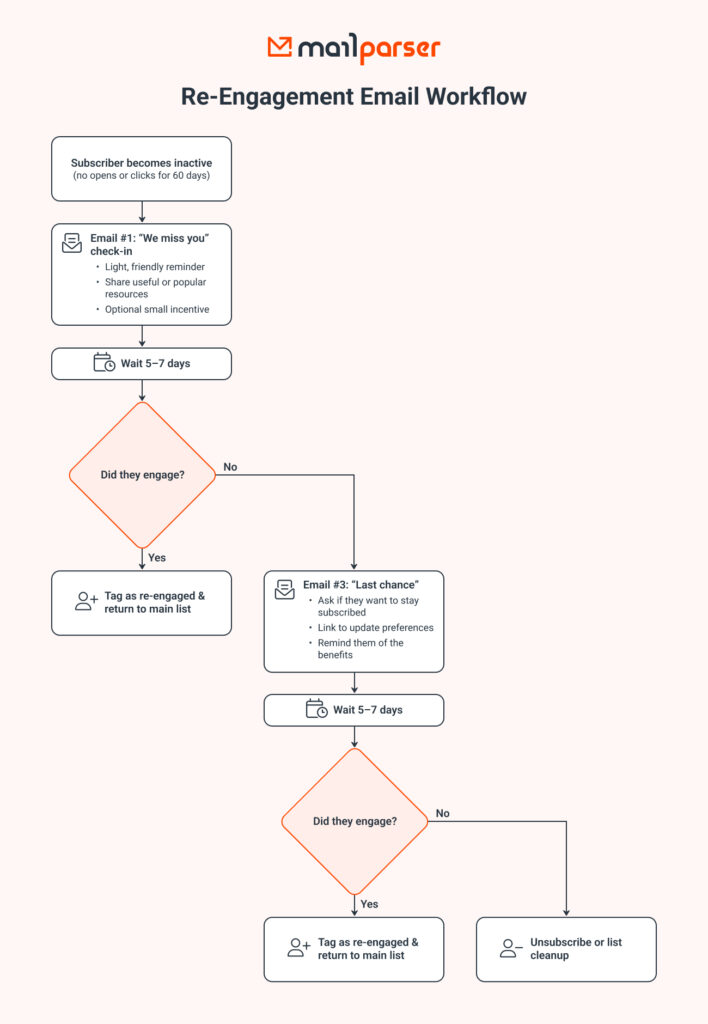
With the right emails, you can reconnect with people in your list who haven’t opened emails, clicked on links, or purchased in a while. Businesses typically do this by sending a friendly check-in or giving an incentive. This way, they can reactivate inactive subscribers, win back lost customers, and determine which contacts to remove from their lists to improve deliverability.
For a more concrete idea of what a re-engagement sequence is like, take a look at this flowchart:
5. Lead nurturing sequences
Lead nurture sequences give your prospects the information they need before making a buying decision. More specifically, you want to create educational emails that:
- Highlight case studies
- Explain key features
- Address common objections
Setting up a lead nurturing sequence keeps your brand top of mind and warms up leads. This type of automated sequence is more prevalent in B2B industries. The buyer’s journey takes more time as leads compare options, consult with decision-makers, and test solutions before making the purchase decision.
How to Implement Email Marketing Automation
We’ve established why email marketing automation is important and even critical in some industries. Now, you want a plan to implement it successfully. Here’s how: follow these 5 steps to implement email marketing automation.
1. Choose an email marketing automation tool
First, you’re going to need an email marketing automation tool where you organize your list, set up automations, send emails, and track everything. Popular platforms include Mailchimp, Klaviyo, Kit, and Active Campaign to name a few. Take the time to try them out and compare their features: segmentation, personalization, deliverability, automations, analytics, integrations, security, and support.
The right tool helps you manage your email list and automate sequences without complicated manual work.
2. Segment your email list
You have subscribers with different characteristics: demographics, behavior, purchase history, interests, preferences, stages in the buyer’s journey… So it makes sense to divide your list into multiple segments based on these criteria. For example, you can send promotional campaigns targeting female shoppers or special offers to loyal customers.
Segmenting your email list ensures that you send the right messages to the right people. Subscribers receive emails that are relevant to them, so they are much more likely to open them, read them, and take action. In the absence of segmentation, people who receive emails they don’t find relevant will ignore them or even unsubscribe from your list.
3. Build automated workflows
This is where you build automated email sequences that trigger based on specific events, such as:
- Signups
- Adding items to the cart
- Purchases
- A period of inactivity
- Hitting a milestone (loyalty program, anniversary, referral, etc.)
- Etc.
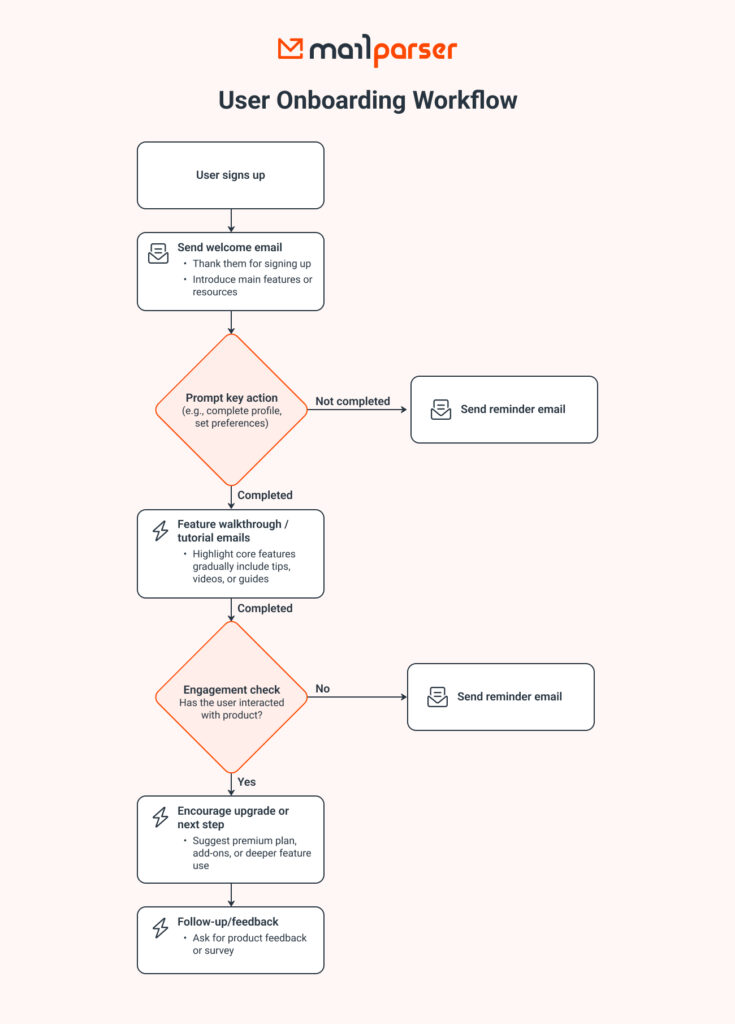
Workflows define the timing, sequence, and goal of each email e.g., welcoming new subscribers, recovering abandoned carts, re-engaging inactive customers, etc. A well-designed workflow guides subscribers smoothly toward the next step. Thankfully, most email marketing automation software offers user-friendly interfaces that make it easy to build your workflows.
Here is an example of a user onboarding workflow that can be automated:
4. Create engaging emails
Building automated sequences is great, but you still need to make sure your emails are engaging. You want them to have a combination of layout, visuals, and copy that grabs attention and compels action.
Think strong subject lines, clear calls to action, helpful content, and mobile-friendly design. When done right, these elements work in synergy to maximize engagement. Furthermore, personalization — such as using the subscriber’s name, referencing past behavior, or recommending products — makes automated emails feel more human and relevant.
5. Track and optimize
Last but not least, you want to keep track of the results you get and figure out ways to improve them. Tracking and optimizing performance ensures that automations continue to improve over time.
Marketers should monitor key metrics like open rates, click-through rates, and conversions to find out which emails perform best. Be sure to A/B different subject lines, send times, CTAs, and content variations. Optimization turns automated emails into a consistently stronger revenue channel.
In Conclusion
To sum it up, email marketing automation lets you boost engagement and revenue with emails by automating workflows, eliminating the need to write routine emails from scratch. In fact, most businesses are already using it to great effect. Once you set up automated sequences that run smoothly in the background, results will soon follow. You will save countless hours of work, improve customer engagement and retention, and increase revenue.
You know everything you need to get started with email marketing automation. If you find yourself trying to parse data from incoming emails and move it to the email marketing platform where your automations are set up, consider trying Mailparser. Our email parser extracts information from emails and automatically sends it to cloud apps or APIs. You will save time, prevent data entry mistakes, and build automated workflows that require data found in emails. Sign up for a free trial and discover the power of automated email data capture.